
Riddle Game #
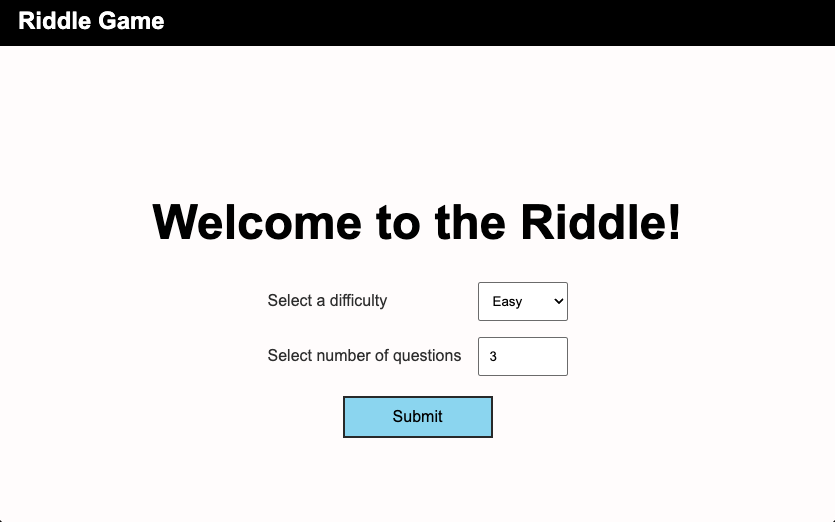
In this lab you will use the Riddle Database to create an interactive game.
[0] Starter Code #
💻 Download your repository with starter code for your project.cd ~/desktop/making-with-code/unit05_webapps
git clone https://github.com/the-isf-academy/lab_flask_riddle_yourgithubusername
cd lab_flask_riddle_yourgithubusername
poetry install
poetry shell
[1] SQL Table #
You can find the Riddle table definition in riddles.sql
CREATE TABLE IF NOT EXISTS riddles (
    id INTEGER PRIMARY KEY AUTOINCREMENT,
    question TEXT NOT NULL,
    answer TEXT NOT NULL,
    total_guesses INTEGER DEFAULT 0,
    correct_guesses INTEGER DEFAULT 0,
    difficulty TEXT DEFAULT 'easy'
);
💻 Let’s start by making the database file by running python init_db.py This file reads in the data from riddles_data.py. Feel free to add your own before making the database file.
💻 Now use the command ls and view your database.db file
👾 💬 Reset DatabaseIf you want to reset your database, simply delete the database file:
rm database.dbThen, re-run:
python init_db.py
[2] Complete the Worksheet #
💻 Open the codecode .
💻 Start the app and go to: 127.0.0.1:5000
python app.py
✅ CHECKPOINT:✏️💻 Follow along with the worksheet to understand how this web app is made. You will learn about:
[3] Deliverables #
⚡✨💻 Push your work to Github:
git statusgit add -Agit statusgit commit -m "your message goes here"
- be sure to customize this message, do not copy and paste this line
git push
[3] Extensions #
404 Page #
Currently, if you to a page that doesn’t exist, there is an unclear error page with no obvious way to go back to the menu.
💻 Add a custom 404 page by adding a new function to app.py and a new 404.html template. Be sure to include a link in the template to go back to the index page.
@app.errorhandler(404)
def error_404(error):
    return render_template('404.html'), 404
Custom Favicon #
A Favicon is the icon that appear on the tab window.
💻 Add a favicon
- add a
.pngfile in the/staticdirectory - link it in the
<head>of thebase.html
<link rel="favicon icon" href="{{ url_for('static', filename='favicon.png') }}">
Other Extension Ideas #
- hint system: you can click or hover to reveal the first letter of the answer
- difficulty based scoring: get more points based on difficulty selected
- leaderboard: create a new database that stores users scores and displays them on a new page
- new riddles: allow users to add new riddles to the game
- progress tracking: allow users to see how many questions they have left