
Forms #
In this lab, you’ll explore how to receive and save data on a web app through a form.
[0] Set up #
💻 Let's begin by starting the Colorama app in a Terminal window.cd ~/desktop/making-with-code/unit05_webapps/lab_flask_colorama_yourgithubusername
code .
poetry shell
python app.py
[1] Creating a new color with a form #
Now we’re going to extend the app to let users create their own colors. For this we use wtfforms and flask-wtf libraries.
💻 Open forms.py and add the following class
| |
ColorFormsets up a form that defines which fields are necessary and what data type the field should accept. We usewtfformsandflask-wtfto easily manage things like validators and default values.
💻 Open app.py and add the following function
| |
color_new(), creates an emptyNewColorForm(e.g. the name isn’t filled in and the colors aren’t set) and gives it to the template, which renders a response. The user sees a page with sliders and a text field to name the color.
- When the user submits the form (this is a
POSTrequest because it’s making a change; all the previous requests have beenGETrequests),color_new()again receives the request. This time, since it’s aPOSTwith form data (name, color values), it creates aColorForm, checks to make sure the data is valid, and if so, creates aColor, saves it to the database, and then sends a redirect response telling the user to go to/colors.heading="Add a new color!"is helpful so we can use the same form for multiple use cases, while being able to customize the heading text
💻 Now go to
/new and add a few color. Then, go to the
/all page to view your newly added color with all the other colors in the database.
💻 Currently, you are restricted to a specific range of RGB values -Change the form so you can add an integer from 0-255 for each RGB value.
✅ CHECKPOINT:Before moving on, be sure you understand the following. If you do not, please ask a teacher.
- What is the purpose of the for loop in the
templates/color_form.htmltemplate file?- Why is
DataRequired()on thenamebut not thered,green, orblue, in `forms.py?
[2] Modifying a color with a Form #
We are going to allow users to update the color if they want to tweak it. For this, we can use the exactly same form!
💻 In app.py and add the following incomplete function
| |
💻 Now go to
/edit/1, and make edits. Try changing the 1 to other numbers. Which numbers work and which numbers do not?
The form loads and the sliders work, however when submitting the form nothing happens.
💻 Finish the function color_edit() to:
- update the color with the form data
redirectthe user to the detail page
💻 Add a link on the color detail template that directs you to its edit page.
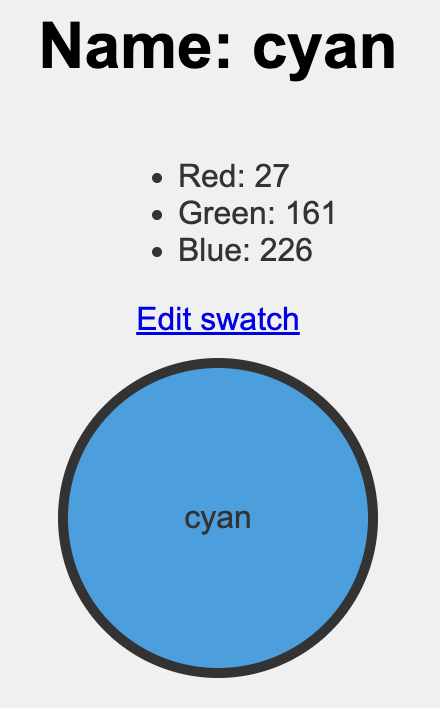
✅ CHECKPOINT:Before moving on, be sure you understand the following. If you do not, please ask a teacher.
- How is the form pre-populated with the color’s data?
- When this form submitted via a
POSTrequest, it updates an existing color. How is this different than creating a new color?
[3] Filtering Form #
Forms can be useful to modify the database information, but they can also be useful to access or filter the database.
💻 In forms.py, add this FilterForm. It is quite a simple form that uses a SearchField.
class FilterForm(FlaskForm):
    name = SearchField('Color Name',validators=[DataRequired()])
    submit = SubmitField('Submit')
💻 In app.py let’s edit our color_all() function. Notice how we added the methods to the @app.route decorator. This is because routes that include a form must GET and POST data.
@app.route("/all", methods=['GET', 'POST'])
def color_all():

    form = FilterForm()

    if request.method == 'POST':
        if form.validate_on_submit():
            search_name = form.data['name']

            # 💻 finish the function


    all_colors = get_all_colors('name')

    return render_template(
            'color_all.html',
            all_colors=all_colors,
            form = form)
💻 Finish the function color_all() to:
- query the database by the
namefield using a function inhelpers.py - render the template with the queried colors
💻 Then, update the template in templates/color_all.html to include the form. Is there an existing code block you can copy, paste, and edit?
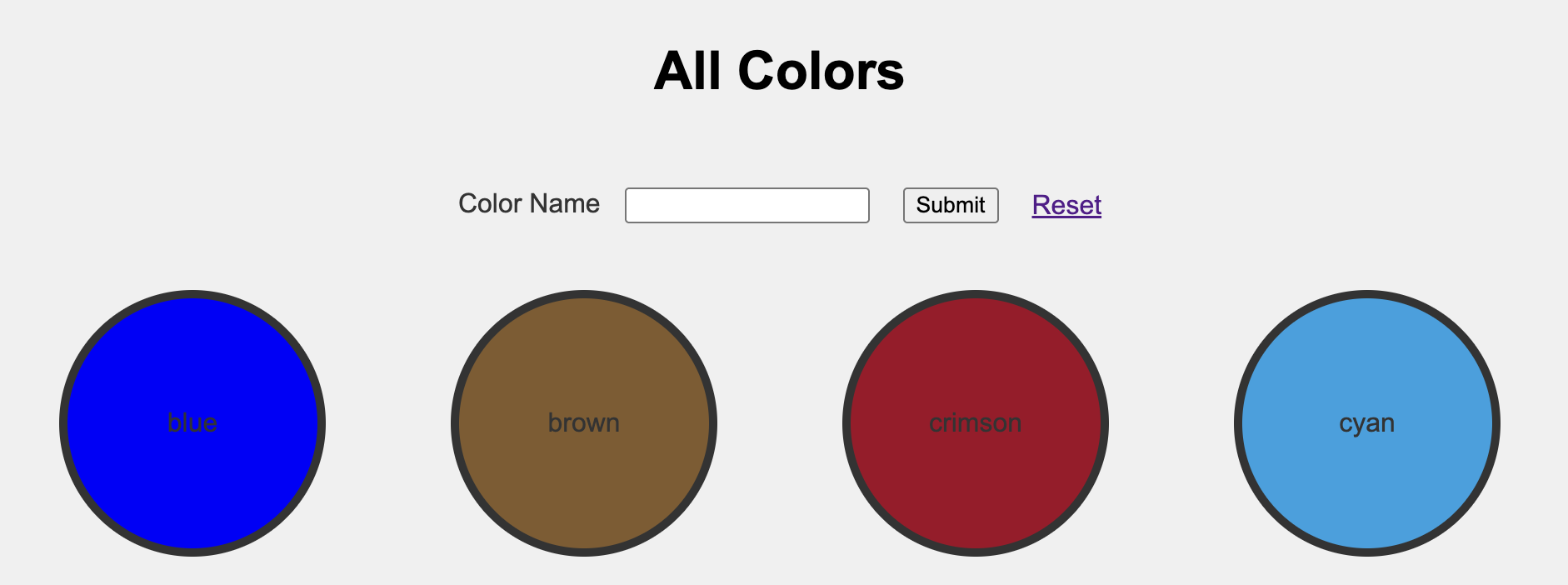
💻 Add a link in the template to reset the search to see all of the colors What should you link to?
✅ CHECKPOINT:Before moving on, be sure you understand the following. If you do not, please ask a teacher.
- How to create new forms for querying
- How to access data from a submitted form
- How to ‘reset’ a query using HTML links
[3] Deliverables #
⚡✨ Once you've successfully completed the lab:💻 Push your code to Github.
- git status
- git add -A
- git status
- git commit -m “describe your code and your process here”
be sure to customize this message, do not copy and paste this line
- git push
[4] Extensions #
Generate a new random color #
Implement a new feature where the user can click a button on the /new endpoint that would generate a random color (load the /new page with pre-populated rgb values).
You will need to look at how to use GET request query parameters with Flask
Challenge: do this by only editing the /new route in app.py and color_form.html.
Add more search features on /all route
#
Add more ways the user can query the database in /all.
Ideas:
- Search with minimum/maximum RGB values
- Search for a range of RGB values